Customer List
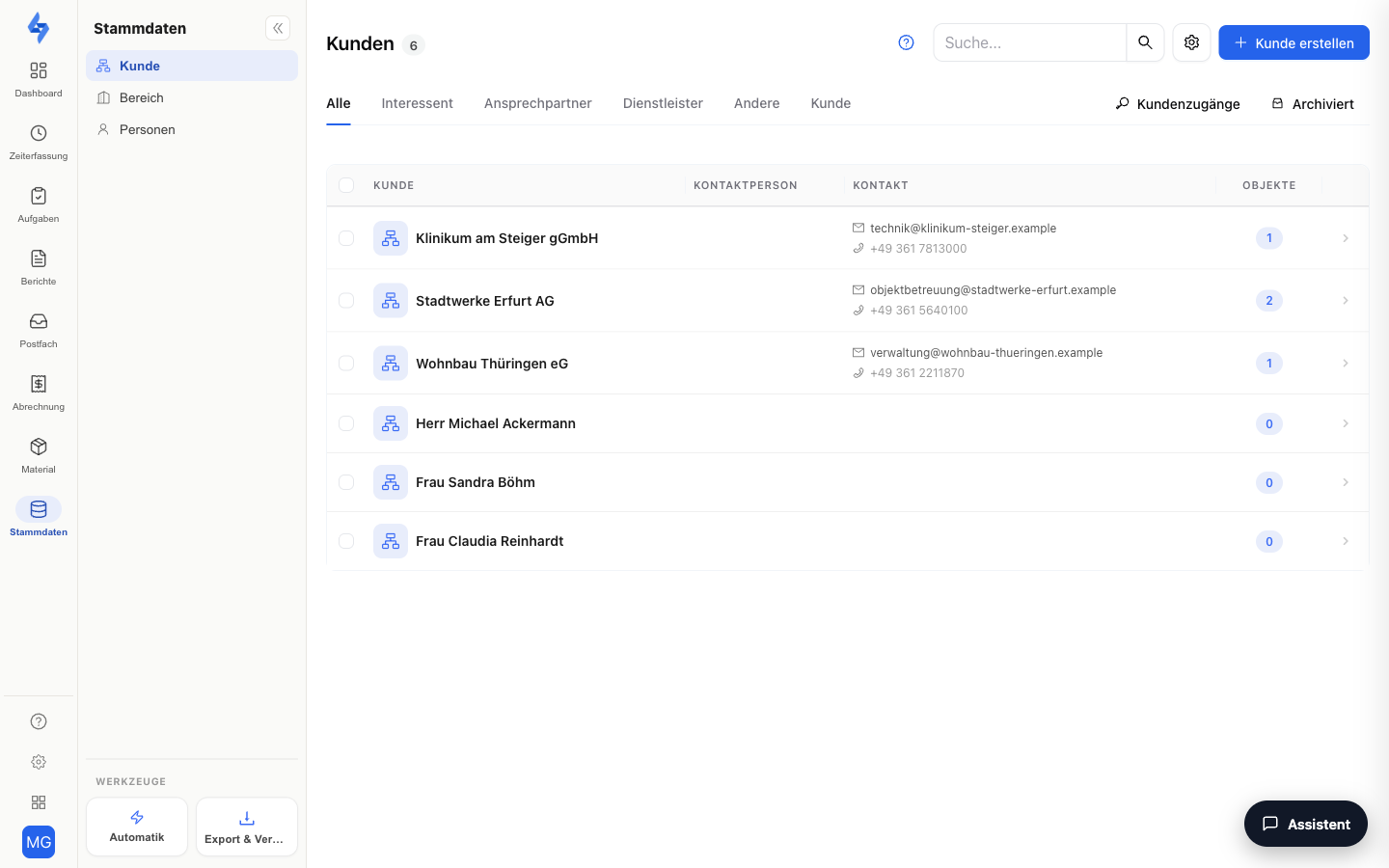
The customer list gives you a complete overview of all your business and private customers. You can filter customers by category, view archived customers, and search for specific entries. Clicking a customer opens the corresponding detail view.
The customer is the client behind a property: employees are assigned to properties, and a property can be assigned to a customer. Customers are optional — LiteLog works fully without them; properties and employees are all you need to operate. Create customers when a client should get their own access or be assigned to properties.
Navigation: Master Data → Customers
What is this view for?
Here you manage your clients as master data — and lay the groundwork for simpler communication: you assign properties and contacts to a customer, and only a created customer can get a customer access, through which they check the status themselves and report requests as tickets instead of calling.
Features at a Glance
Switch Customer Type
Use the toggle bar at the top to switch between business customers and private customers. The table then only shows customers of the selected type.
Category Tabs
Dynamic tabs let you filter by customer category. You maintain the categories under Settings → Catalogs → Customer categories. Right above the table sit two further views: Customer access and Archived (archived customers).
Customer access view
The Customer access button switches the list to all customers with a portal login — with the columns customer, visible areas and properties. From the row you set up, manage or deactivate an access; the search field also applies in this view, the category tabs do not. The access is an attribute of the customer and therefore lives here and not in the settings (until September 2026: Settings → Customers → Logins). All details: Customer access. The login of a single customer sits in their customer view under the Access tab.
Search
Use the search field to find customers by company name, first and last name, or customer number. The search term is stored in the address bar and is kept when the page is reloaded.
Open Customer Details
Click a row in the table to go directly to the customer view. Per customer, the table also shows contact persons, contact details, and the number of assigned properties. Use the multi-select to archive several customers at once or restore archived ones.
Create a New Customer
Click the Create button to create a new customer. In the form, you enter the master data. For business customers, you can optionally create a contact person right away — this person is automatically created as a separate private customer with a link.
Good to Know
:::tip Note
- For business customers, the company name is a required field; for private customers, the last name. The customer number is also required — it is pre-filled from the number range and can be adjusted.
- You maintain customer categories under Settings → Catalogs → Customer categories. System categories cannot be renamed or deleted.
- A category can only be deleted once no customers are assigned to it anymore. :::
Permissions
:::info Permission To use this page, you need the permission View customers. Contact your administrator if you don't have access. :::
| Action | Permission |
|---|---|
| Create customers | Create customers |
| Edit customers | Edit customers |
| Archive customers | Archive customers |
| Delete customers | Delete customers |
Related Pages
- Customer View — detail view of a single customer
- Customer access — set up and manage portal logins
- Catalogs → Customer categories