Service Level
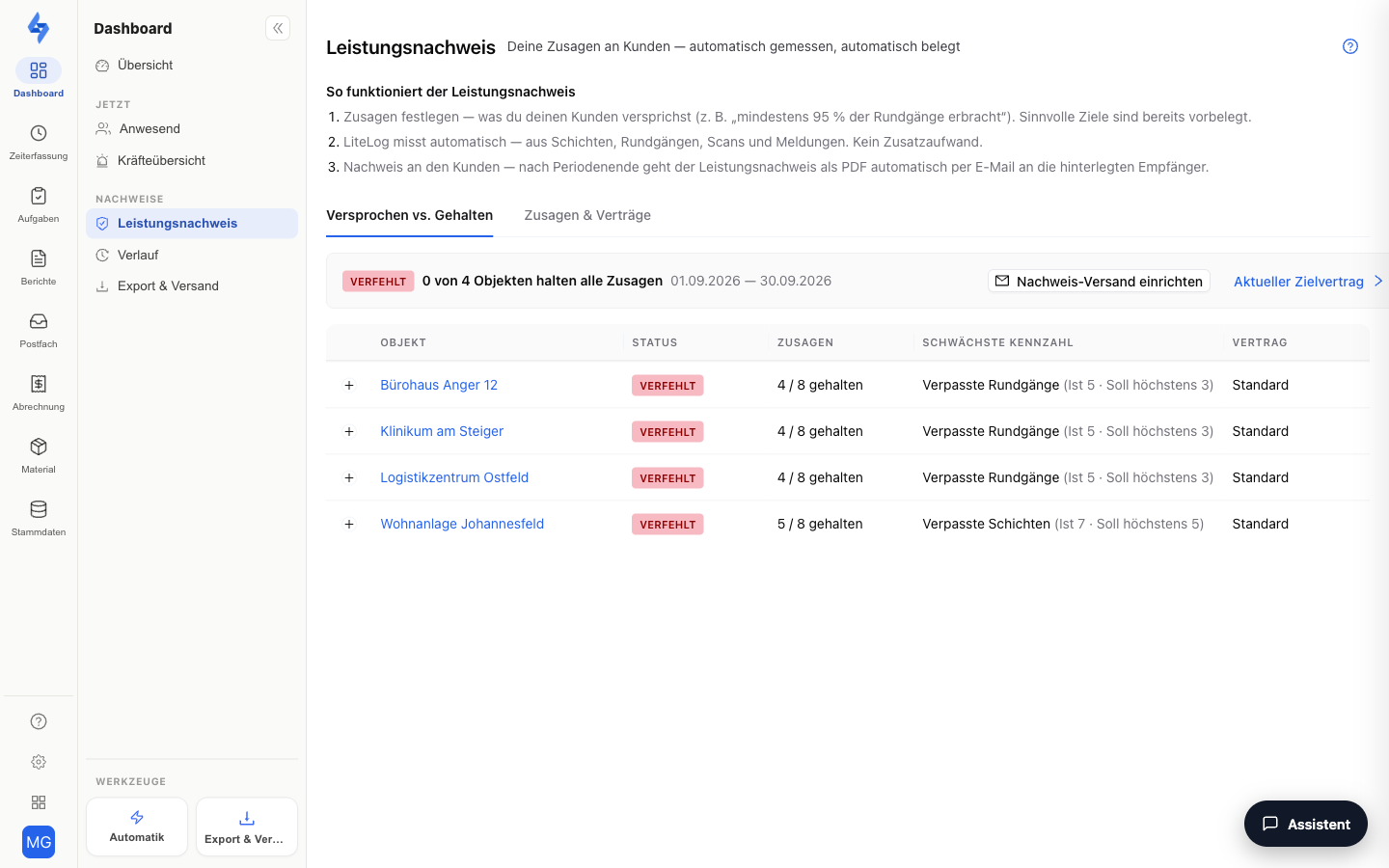
Under Dashboard → Evidence → Performance record you can see whether you are keeping your service commitments: LiteLog automatically measures indicators such as fulfilment rates and missed shifts/patrols against defined targets — per billing period, with a service-level report as PDF. The same page is available in every property file as the Service Record (Property) tab, filtered to that property.
What Is This View For?
This view answers the question "Are we delivering what we promised the customer?" — continuously during the period (early warning) and conclusively as a service-level report after the period ends. There is nothing to set up: for every property with planned shifts or patrols, LiteLog keeps score automatically — against the targets of the standard contract (e.g. fulfilment rate ≥ 95%). You can adjust the targets at any time.
Features Overview
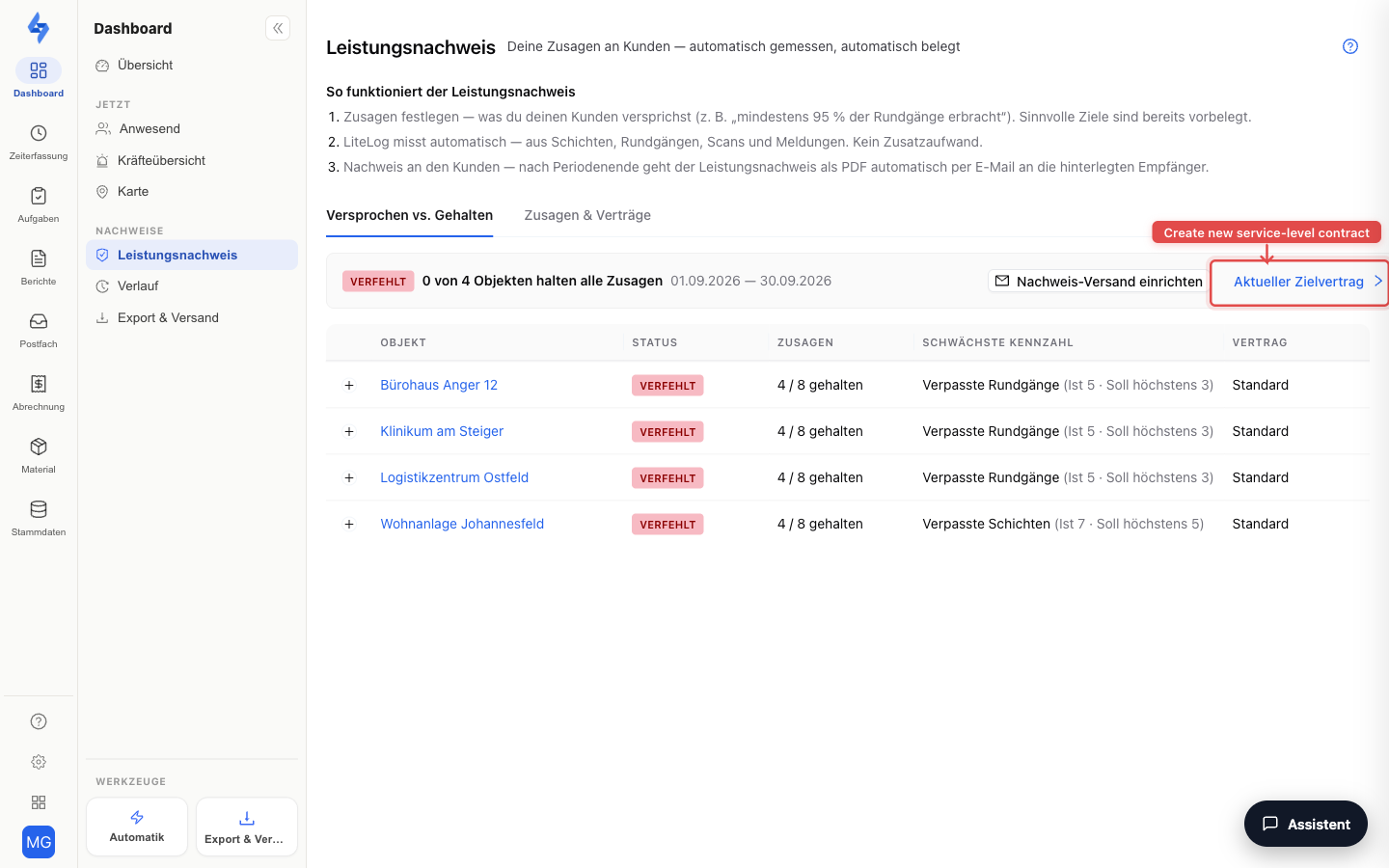
The page has two tabs: Promised vs. delivered and Commitments & contracts.
"Promised vs. delivered" Tab
- Verdict line — a one-sentence summary of the running period, e.g. "4 of 5 properties keep all commitments".
- Per-property overview — a table with one row per property: commitments kept, the weakest indicator, the underlying contract, and the period status. Properties without measurable records appear as "Not measurable".
- Auto-delivery indicator — shows whether the service-level report is sent automatically to the contract's recipients after the period ends.
- Clicking a row opens the contract detail page with the target values and the completed periods.
Measured Indicators
| Indicator | Type |
|---|---|
| Shift fulfilment rate | Rate (e.g. ≥ 95%) |
| Patrol completion rate | Rate |
| Punctuality rate | Rate |
| Checkpoint coverage | Rate |
| Missed shifts | Count (e.g. ≤ 5) |
| Missed patrols | Count |
| Late check-ins | Count |
| Open shifts | Count |
| Unreached checkpoints | Count |
| Incident response time | Average in minutes |
For each indicator you define a target value and direction (≥ / ≤), optionally with a watch value as an early-warning threshold. Internally, the three-level traffic light OK / Watch / Breached applies; in the service-level report facing the customer, only Met / Breached counts.
How the route indicators are calculated:
- Only scheduled routes feed into the route indicators — free routes are pure extra service and are not measured against targets. A route is evaluated once its time window expires.
- Unreached checkpoints counts the points recorded via photo fallback ("Checkpoint not present") instead of a scan.
- Checkpoint coverage is the share of regular scans among all recordings — photo fallbacks lower the rate.
"Commitments & contracts" Tab
The contract table shows all service-level contracts with scope (whole tenant / client / property), period (monthly / quarterly), number of targets, active from, status (active / closed), and delivery (whether the service-level report is sent automatically). Clicking a row opens the contract detail page.
Creating a new contract (button "Create contract"): you choose the scope, the evaluation period, the start date, and enable the desired targets with values. This lets you agree on dedicated commitments per client or per property, for example. An active contract can be ended — already completed periods remain visible. The automatically created standard contract cannot be ended.
Good to Know
:::tip Note
- Dedicated contracts per property or client are part of the STANDARD plan. In smaller plans, the standard contract for the entire tenant applies automatically — you still see the full status.
- After each period closes, LiteLog automatically generates a service-level report (PDF) with a target/actual comparison — available on the contract detail page.
- Accounts with the Customer role have no access to this page. :::
Permissions
:::info Permission To use this page, you need the View round evaluation permission. Contact your administrator if you do not have access. :::
| Action | Permission |
|---|---|
| Open the page, download the service-level report (PDF) | View round evaluation |
| Adjust targets, create/edit/end contracts, set up auto-delivery | Manage service-level |