API & Exports
There are two ways to bring data from LiteLog into other systems:
- REST API v1 — for third-party systems talking to LiteLog automatically: e.g. a property management system (PMS) creating a cleaning task on guest checkout, or middleware synchronizing property master data.
- CSV, PDF, and Excel exports — for payroll, reporting, and dispatch to clients, without writing a line of code. See Export & Dispatch.
REST API v1
Creating an API key
API keys are managed in the portal under Settings → Features on the REST API card:
- Click Create key and assign a name (e.g. "PMS vacation rentals").
- Select the permissions (scopes) the key should receive — only as much as needed.
- The raw key (
ll_live_…) is displayed exactly once. Copy it and store it safely — afterwards only the beginning of the key remains visible.
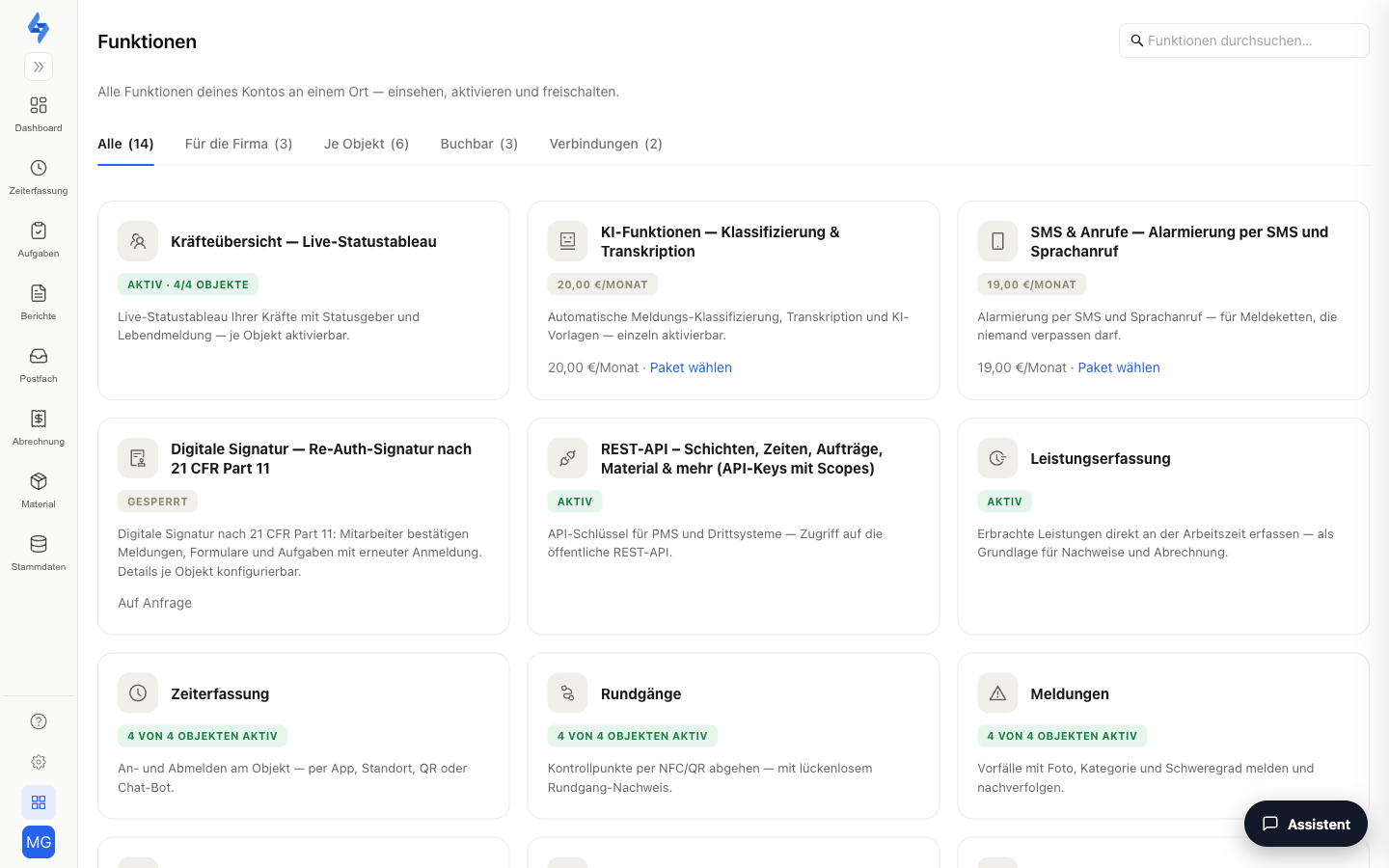
A key is bound to your tenant and one account — it sees exactly the properties that account sees. Revocation takes effect immediately; for a zero-downtime rotation, create the new key first, switch the third-party system over, then revoke the old one.
Authentication
Every request carries the key in a header — either as X-Api-Key or as a bearer token:
curl -H "X-Api-Key: ll_live_..." https://api.litelog.de/api/v1/me
# or
curl -H "Authorization: Bearer ll_live_..." https://api.litelog.de/api/v1/me
GET /v1/me is a good first test: the endpoint returns the key's own context (tenant, scopes) without requiring further permissions.
Endpoints
| Method & path | Purpose | Required scope |
|---|---|---|
GET /api/v1/me | Test the key: own context (tenant, scopes) | — |
GET /api/v1/properties | List properties | properties:read |
POST /api/v1/properties | Create a property | properties:write |
PATCH /api/v1/properties/:id | Update a property | properties:write |
GET /api/v1/tasks | List tasks | tasks:read |
POST /api/v1/tasks | Create a task (idempotent via a supplied uuid) | tasks:write |
POST /api/v1/incidents | Create an incident (defect report) | incidents:write |
GET /api/v1/form-responses | Query submitted form responses (polling) | form_responses:read |
GET /api/v1/form-responses/:id | Form response in detail, incl. answers and photo links | form_responses:read |
GET /api/v1/config-changes | Settings audit trail for auditors; with include=values also old and new values, reason and username | audit:read |
GET /api/v1/change-requests | Change requests of the change approval with status and decision | audit:read |
There are also endpoints for material (/material/items, /material/stock, /material/warehouse/stock, /material/movements, /material/requests — scopes material:read/material:write; only with the Material feature enabled) and for initial setup (/roles, /accounts, /accounts/:id/invite-link, /form-templates incl. catalog import, /workflow-rules — scopes roles:*, accounts:*, form_templates:*, workflows:*).
:::tip Idempotency
Supply your own uuid when creating tasks — repeated deliveries of the same event (e.g. a webhook redelivery from your PMS) will then never create two tasks.
:::
Example: "Guest checks out → cleaning task"
# Checkout event → cleaning task
curl -X POST https://api.litelog.de/api/v1/tasks \
  -H "X-Api-Key: $KEY" -H "Content-Type: application/json" \
  -d '{"uuid":"7c9e6679-7425-40de-944b-e07fc1f90ae7","title":"Final cleaning apartment 3","property_id":123,"due_date":"2026-08-01"}'

# Query completed cleaning checklists (polling)
curl "https://api.litelog.de/api/v1/form-responses?property_id=123&status=submitted&pageSize=10" \
  -H "X-Api-Key: $KEY"
Limits & behavior
- Plan: REST API v1 (including
/v1/me) requires the STANDARD plan. - Rate limit: 120 requests per minute per key (HTTP 429 when exceeded).
- No license seat: API traffic does not occupy a license seat. An expired license blocks write access (reading remains possible, HTTP 402 on writes).
- Error format: 401 (key missing/invalid/revoked), 403 (missing scope or property access), 404 (resource not found), 409 (conflict/duplicate), 400/422 (validation error — unknown fields are rejected).
- Not included yet: outbound webhooks (planned — until then, poll via
GET /api/v1/form-responses?status=submitted), OAuth2, writing time tracking or form responses, file uploads, and DELETE endpoints.
CSV, PDF & Excel exports
For payroll and reporting you do not need an API — the built-in exports cover the most common cases:
- Working times as CSV or Excel — e.g. the daily attendance matrix per person for payroll.
- Reports as PDF — patrol, incident, and form reports, on request in your own branding.
- Recurring e-mail dispatch — send reports automatically, e.g. weekly to clients, as PDF, CSV, or Excel.
Excel exports use the xlsx format. All details: Export & Dispatch and Property — Dispatch. The eight exports for auditors with column explanations and cross-checks are described in the Evidence package; the REST API endpoints config-changes and change-requests deliver the same data.
Permissions
:::info Permission To create and revoke API keys you need the Edit settings permission. What a key can see and change is additionally limited by its scopes and the account it is bound to. :::