License & Billing
This is where you manage your LiteLog subscription. In the settings you will find two entries in the "Billing" group:
- Plan — current plan, bookable features, and billing address
- Invoices — invoice list and billing email
Navigation: Settings → group "Billing" → Plan or Invoices
Features at a Glance
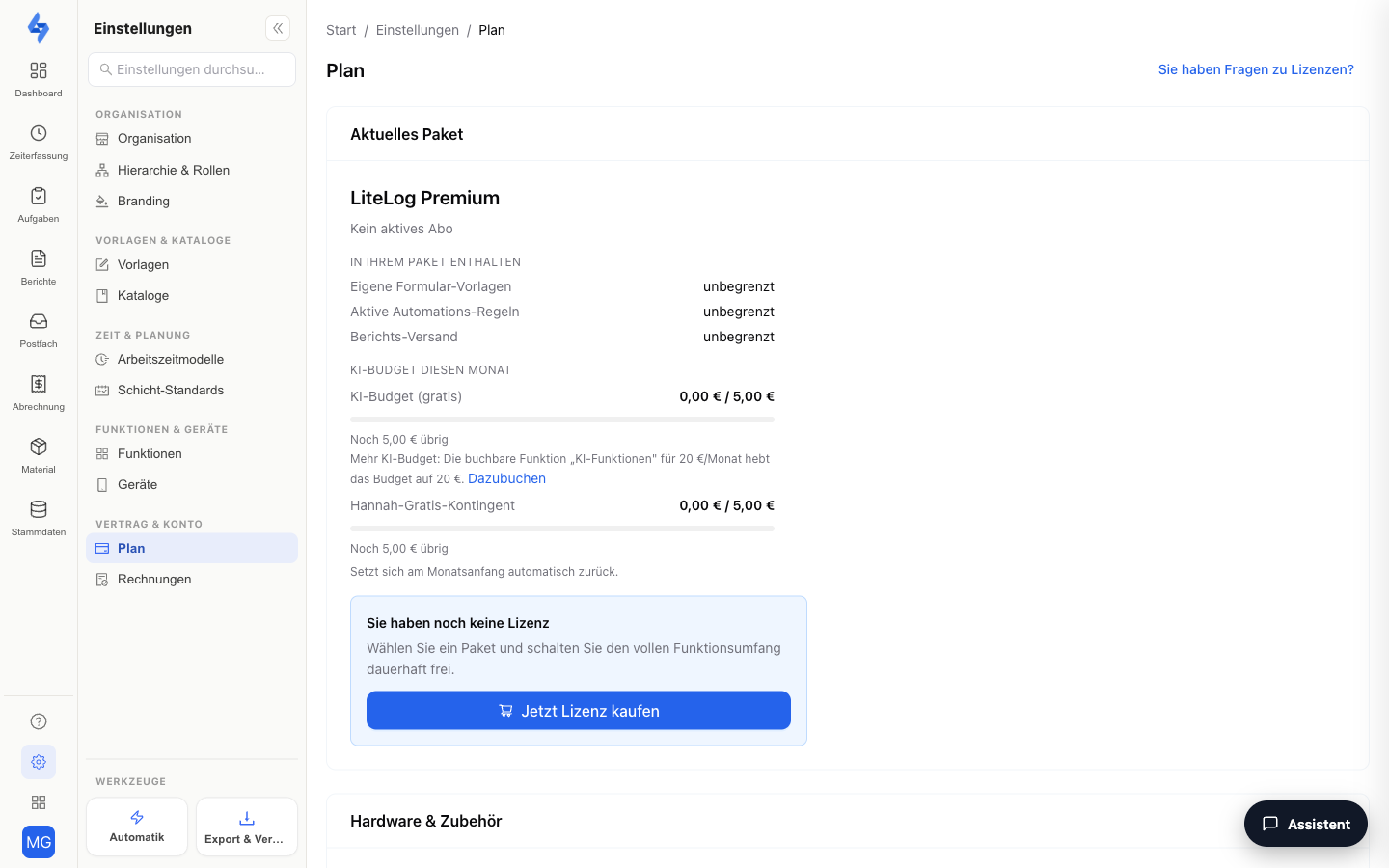
Current plan
The plan card shows your status — e.g. "Trial until …", "Renews on …", or "Ends on …". Below it you see the quotas included in your plan, the usage ("Employees: X of Y"), and your monthly AI budget. During the trial it reads "Trial — you are testing with the scope of the Profi plan." and "After the trial, Basis (up to 15 employees) applies unless you choose a plan.", followed by the list of features no longer included afterwards and the quotas afterwards. From here:
- Manage subscription — opens the Stripe customer portal, where you manage the payment method, invoices, and cancellation yourself.
- Choose plan — takes you to the plan selection if you do not have a subscription yet.
Employees and plan
The price depends only on the number of your employees: Basis up to 15, Betrieb 16 to 50, Profi 51 to 150. Every created, non-archived employee account counts — archived accounts and customer logins do not. Employees of a subcontractor with their own account count like your own employees. Sites, rooms and devices are unlimited.
The line "Employees: X of Y" shows the usage. Every archived person frees their slot immediately. All prices and limits are listed under Choose a plan.
Changing the plan
The "Plan" section names your current plan, the usage and the next plan with its limit and monthly price — e.g. "Next plan Betrieb: up to 50 employees, €199 per month." With Switch to Betrieb you confirm the change; it applies immediately and is prorated. If you create an employee that exceeds the limit, the notice leads here as well. A smaller plan is possible as soon as the created employees fit into it. Above 150 employees we prepare a custom quote.
Accounts still on the previous seat model continue to see the "Seats" section with additional seats and the line "Currently active: X of Y users". Nothing changes for them.
Bookable features
Add bookable features (e.g. AI budget or SMS & calls) directly on the Plan page with Book, or remove them again — charges and credits are prorated. Bookable features require an active subscription. During the trial, the Bookable features card shows the same list with prices but without Book buttons — with the note "Bookable features can be added to an active package." and the link Choose a package.
What your plan already includes is no longer bookable: lone worker protection from Betrieb, SMS & calls and Compliance (audit trail in line with ALCOA+ and 21 CFR Part 11 plus the digital signature) from Profi. All prices are listed under Choose a plan.
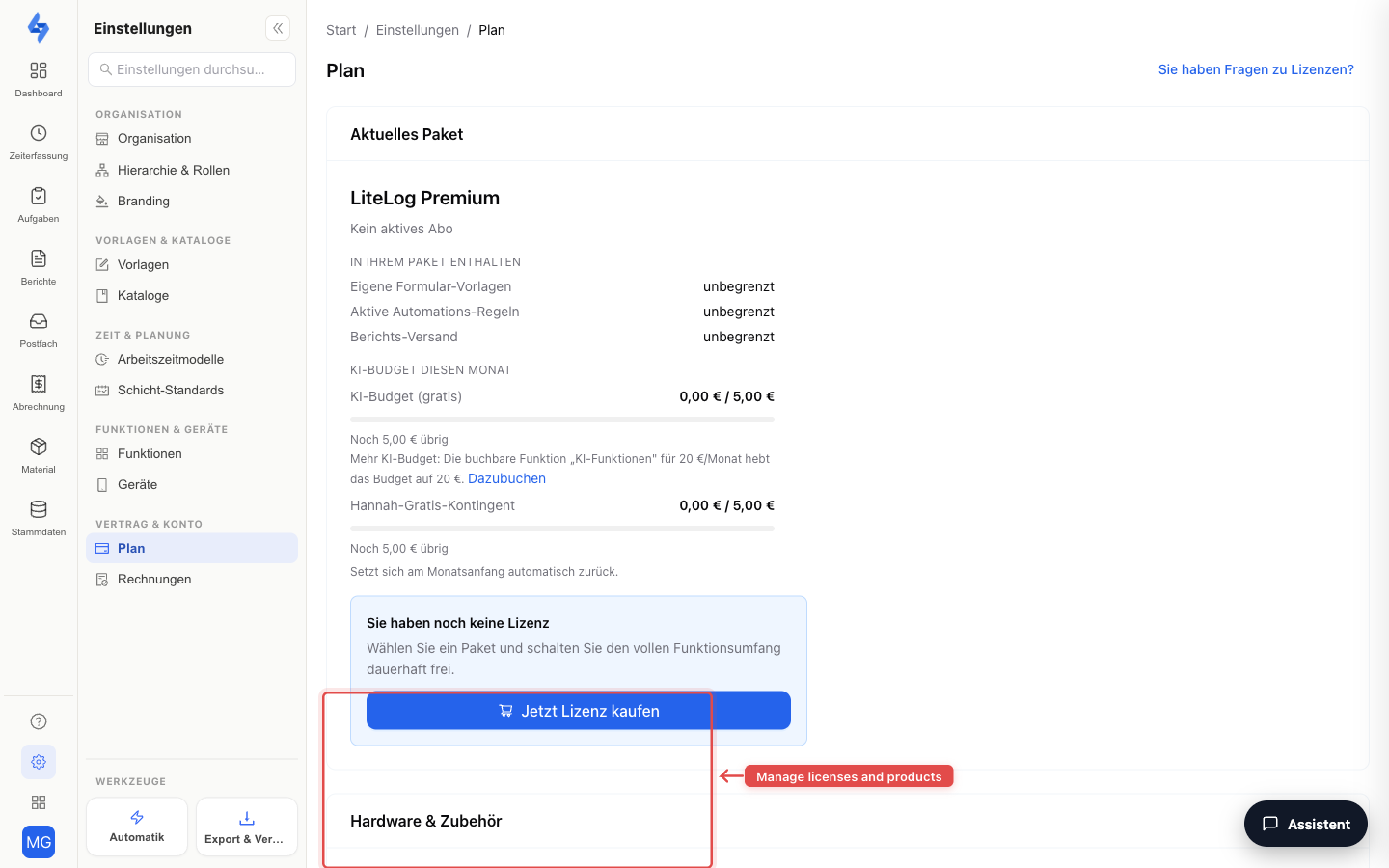
Hardware & accessories
Order NFC chips, checkpoints, and devices via the Go to hardware shop button in the external LiteLog shop.
Billing address
The billing address is used for your LiteLog invoices. By default, your company address from Settings → Organization applies — use the Use a different billing address toggle to enter a different address if needed (company name, street, postal code, city, country, optional VAT ID).
Invoices
The invoice table lists all invoices LiteLog has issued to you, with date, amount, and status (Paid / Open). For each invoice you can download the PDF; open invoices can be paid directly via the Pay invoice link.
Billing email
Stripe sends your invoices and receipts to this address. Enter, for example, your accounting department's address and click Save.
Good to Know
:::tip Note
- Payment processing runs entirely through Stripe — payment data is not stored at LiteLog.
- You trigger the plan change here on the Plan page; the Stripe customer portal is for the payment method, invoices and cancellation.
- As the owner (first admin), you will also find the Delete account entry at the bottom of the settings rail — see Delete account. :::
Permissions
:::info Permission To use this page, you need the permission View license. Buying or changing the plan and requesting account deletion additionally require Manage license. Contact your administrator if you do not have access. :::