Material
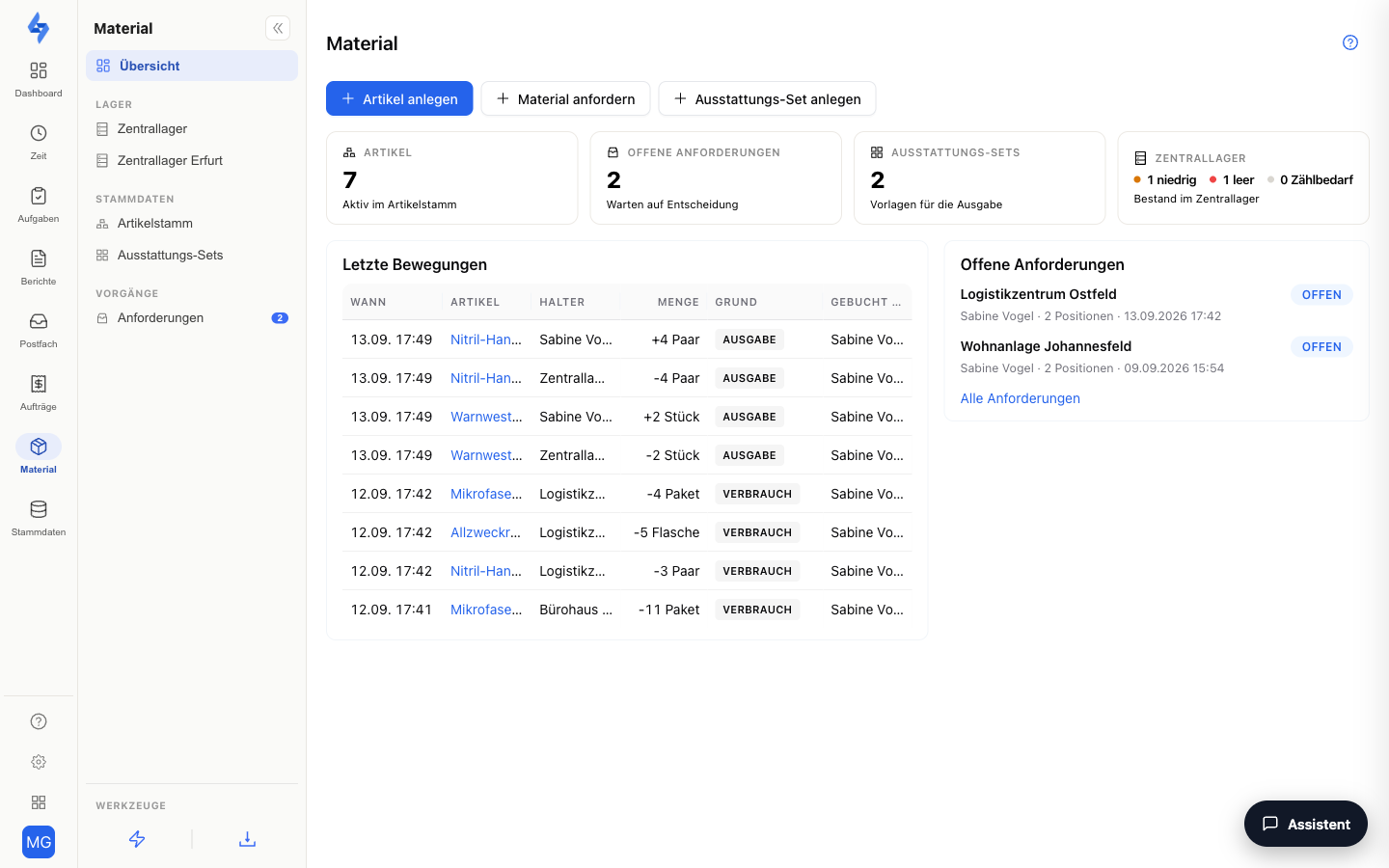
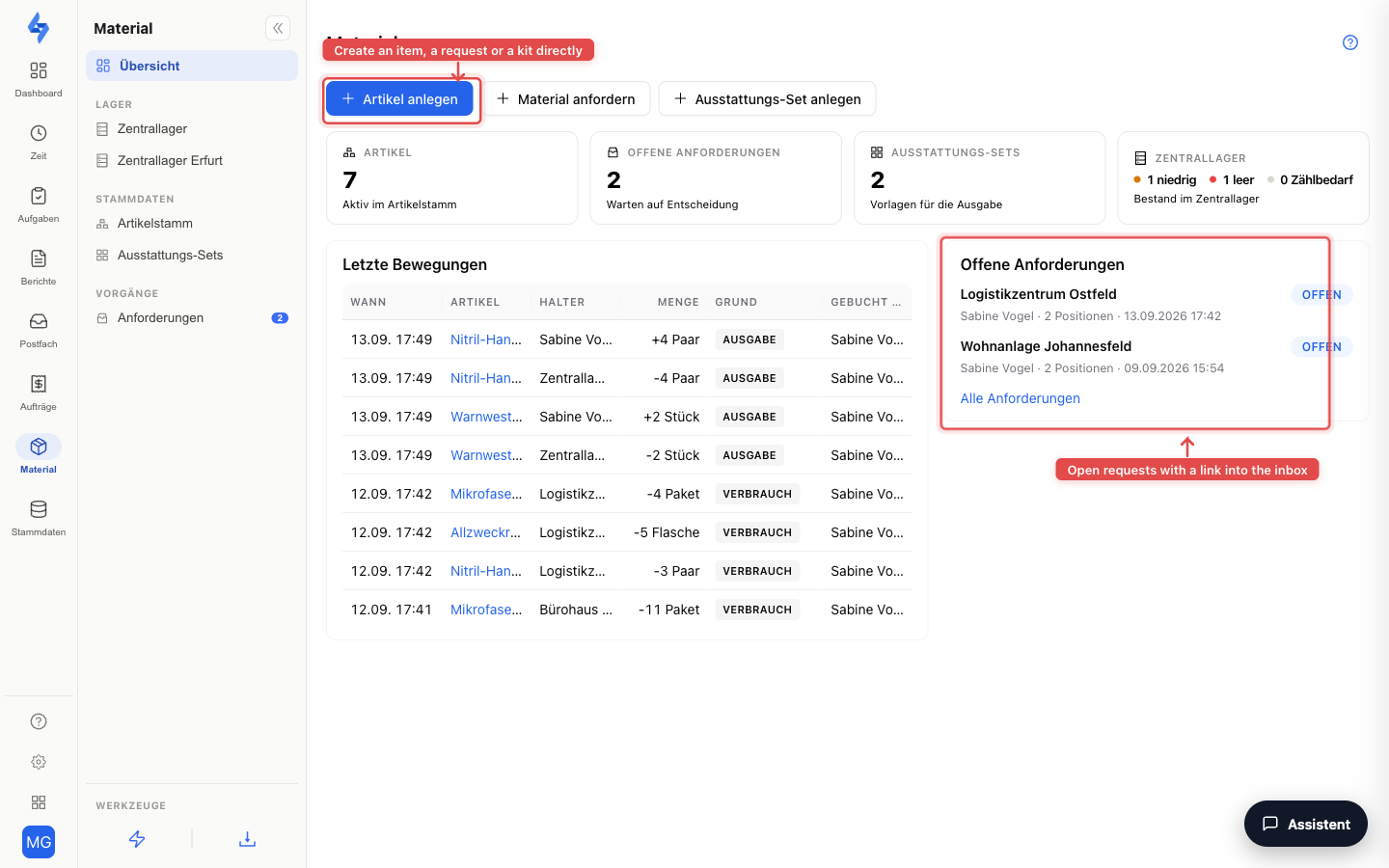
The Material feature manages your company's consumables and equipment in one place: the tenant-wide item catalog, stock per property and in your warehouses, requests with approval, issuing to persons with signature and receipt — and, if you wish, rebilling to the customer. Every figure is verifiable, because stock is not maintained as a number but computed from bookings and counts.
The feature is disabled by default. You activate it once via the company switch under Features (card "Material") — only then do the material areas appear in the portal, the LiteLog app and the customer portal.
The building blocks at a glance
Enabling & master tables
The tenant-wide company switch of the feature sits under Features; the four master tables Categories, Units, Sizes and Rejection reasons that fill the pickers, plus the warehouses and the item number range, sit under Settings → Catalogs → Material. Everything else is described on Catalogs.
Item catalog
Under Master data → Material you maintain the single list of all items — with a kind (consumables, equipment or serialized units with serial numbers), unit, category and purchase price. For serialized items you manage the units per item with serial number, NFC chip and QR label; equipment can optionally be tracked in size variants ("Gloves (M)"). All of it on Material & equipment (master data).
Stock per property
On the property's Material tab you see the computed stock per item with a traffic-light status (Sufficient, Low, Empty, Count needed or No target — items without a minimum/target quantity that have stock; they never count as "below minimum stock", 0 pieces without a target means "Empty"), define minimum and target quantities, and record bookings and counts — in the portal or on the go in the LiteLog app, there also offline and directly when completing a task. When an item falls below the minimum, the automation trigger "Material below minimum stock" fires. Described on Material (property); the feature's app side is shown on Material in the app.
Warehouses (central warehouse)
Besides per-property stock, LiteLog can track warehouse stock without a property reference — from the one material store in your office up to several warehouses per branch or vehicle, which you create directly in the Material area (overview → "More" → "Create warehouse" or "Create warehouse" in the left menu) and manage under Settings → Catalogs → Material in the "Warehouses" section. Exactly one warehouse is the main warehouse (fallback for all bookings without a warehouse reference). Goods receipt, consumption, correction, count and target quantities work like at a property and apply per warehouse; from two warehouses onward a warehouse switcher and the "Transfer" action are added. Only accounts with global visibility see the warehouses — optionally restricted per account to specific warehouses. Details are in the "Warehouses" section of Material (property).
Plan: How many warehouses you may keep depends on your plan — none in Starter, exactly one in Standard (the central warehouse), any number in Premium. Transfers between several warehouses therefore require the Premium plan; see Choose a plan.
Requests with approval
When something runs out on site, staff (LiteLog app, offline-capable), the back office (portal) or customers (customer portal) request material per property. All requests arrive in the approval inbox under Master data → Material in the "Requests" tab: approve (a single approval asks for confirmation in a dialog), reject (with a standard reason or free text) or fulfill — the fulfill dialog shows the list of positions (item · quantity · unit, shortfalls in the source warehouse in red) and the source warehouse, and books per position the goods receipt at the property as a refill and the outflow in the source warehouse as an issue. The flow is in the "Requests" section of Material (property).
Plan: Requests with approval are included from the Premium plan — see Choose a plan. Booking, issuing and counting stock works independently of that.
Issuing to persons & equipment account
You issue equipment and serialized units from the property stock or a warehouse to persons — with signature on screen and the issue receipt as a PDF. What has been issued is shown on the employee's equipment account, together with return, loss report and shift handover. Recurring issues are sped up by equipment kits: templates that prefill the issue dialog. The complete workflow for keys — creating series, pairing NFC chips, scan-based handover, return alarm after shift end — is described in [Key management](./schluesselverwaltung. How to run a fleet with the same means — vehicles with VIN and first registration in custom fields, fuel cards, tyre sets, handover by scan, vehicle check as a form — is shown in Fleet & vehicles.md).
Customer portal area
As a dedicated area of the customer access, your customer sees the material stock of their properties read-only (without purchase prices), requests material themselves and tracks the status. Described on Customer portal and Settings → Customers.
Evidence & rebilling
For the evidence trail there is the report "Material usage" (CSV or PDF) per property and period: inflows, outflows, costs with the purchase price at booking time, and the last count as a quality indicator; generated runs appear under Dashboard → Export & dispatch in the history. With LiteBill you rebill a customer's consumption: the action "Rebill material consumption" creates an invoice draft — see Invoices. The Material journal carries two timestamps per booking: Timestamp (booking on the device) and Received (receipt by LiteLog) — for offline bookings the receipt comes later, and exactly that gap reveals a booking entered after the fact.
The report "Material plan vs. actual per task" (CSV or PDF) compares the expected material stored on a task with the quantities booked on completion — per property, task, item and direction (withdrawal or refill). The plan is the default multiplied by the number of completions in the period, the actual is the sum of the bookings created on completion; completions without a booking count as a deviation, bookings without a default appear with plan 0. The period is based on the completion time of the task; without a period the last 30 days apply.
Changes to target quantities (at properties as well as in warehouses) and to the material defaults of tasks are logged by LiteLog as a settings audit: in the History under the Settings view, each change shows who changed which default per item and when — for example "Minimum 10 · Target 20" or "2 boxes · Withdrawal".
Good to know
:::tip Note
- The company switch under Features is an opt-in: as long as it is off, material appears nowhere — neither in the portal nor in the LiteLog app nor in the customer portal.
- In addition, every property has its own material switch; for properties in the cleaning and facility-service industries it is already enabled on creation.
- The feature manages stock and evidence, not purchasing: there are no suppliers and no purchase orders. Several warehouses with transfers, on the other hand, are fully supported — see Settings → Catalogs → Material. :::