Dispatch (Property)
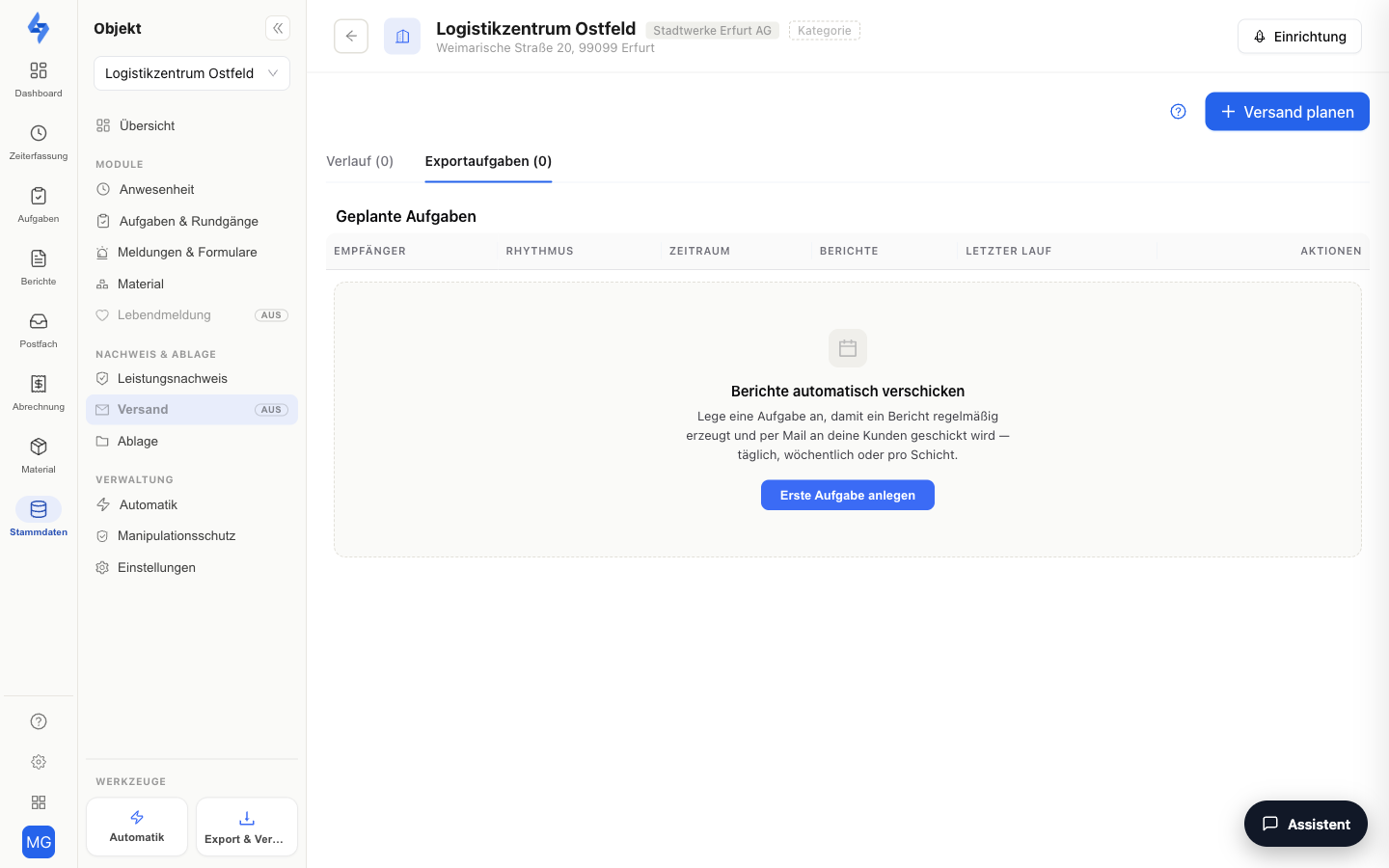
On this tab, you set up automatic report delivery for the selected property. You define which analyses are sent by email, at which rhythm, and to which recipients — and you see the history of all reports already sent for this property.
Navigation: Master Data → Properties → select a property → panel entry "Dispatch" (group "Records & Reports")
Features at a Glance
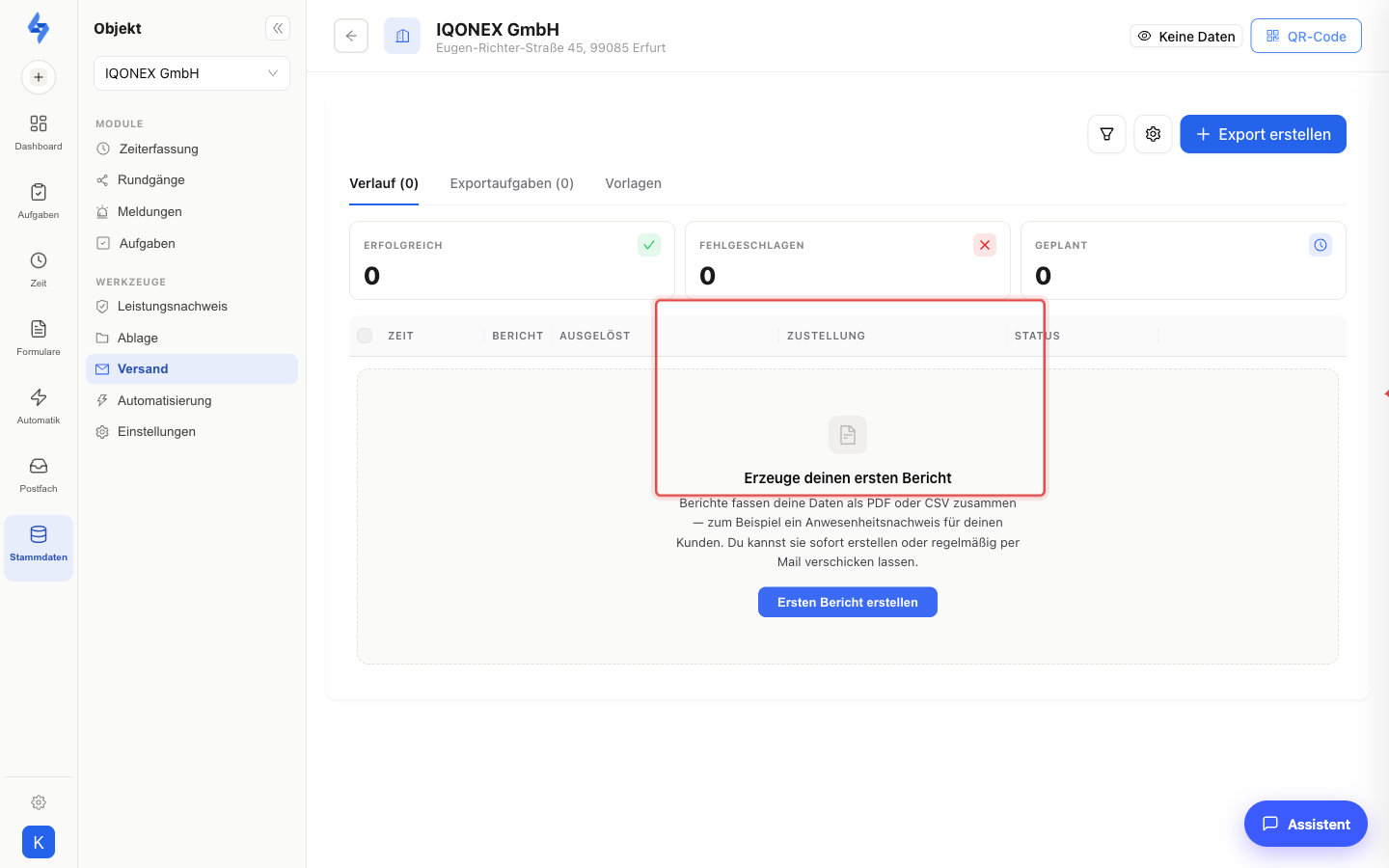
This view is the property-level variant of Export & Dispatch (Dashboard → Evidence) — all entries are filtered to this property. Three tabs structure the content:
History
All reports already generated and sent for this property — with time, report, trigger, delivery, number of records, file size, and status. You can download finished files directly.
Export Jobs
The property's scheduled dispatch plans. Each plan defines which analysis goes to which recipients at which rhythm (e.g. weekly on specific weekdays or monthly on a fixed day).
"Schedule dispatch" creates a new plan: choose the analysis, set the schedule, enter recipients, and optionally write your own email subject and a personal message (with variables, e.g. for property name and date). Existing plans can be edited, deleted, or checked with a test email.
Templates
The report templates (PDF layouts) on which the sent analyses are based.
What the dispatch contains
- Several recipients per plan. Enter all of the client's contacts; each receives the same mail with the same attachment. The dispatch is then listed in the property's history.
- Photos. The patrol log contains the photos of the incident reports from the patrol, the form PDF photos and signatures, the incident list a photo column. Pure tables (target per day, time tracking) contain no photos.
- Combined report. The Protocol (tasks, patrols, incidents & reports) bundles everything into one PDF on request; you choose the content with checkboxes.
- Quota. Active dispatch plans are limited per package: Starter 3, Standard 10, Premium unlimited. Paused plans do not count.
- Your logo. The PDFs carry your logo with the add-on Branding / White-label (included in Premium), set up under Settings → Branding.
- Event-driven instead of scheduled. If a PDF should go out right after an event, for example after every completed patrol, create a rule in Automation; the action generates the report via the same export and attaches it to the e-mail.
Good to Know
:::tip Note
- Old links to the former property tab "Notifications" automatically redirect to this tab.
- Event notifications (e.g. "round missed") are deliberately not found here — you set those up as rules under Automation or in the Automation area. This tab only covers the scheduled delivery of reports.
- The cross-property view with the same tabs is available under Dashboard → Evidence → Export & Dispatch. :::
Permissions
:::info Permission To open this tab, you need Export round evaluation, View shipping or Edit properties. Contact your administrator if you don't have access. :::
| Action | Permission |
|---|---|
| Create dispatch plan | Create shipping |
| Edit dispatch plan | Edit shipping |
The role editor additionally offers the Stop shipping permission; pausing and resuming dispatch plans is currently not tied to a separate permission.