Electronic Guard Book
The electronic guard book (German: "E-Wachbuch") is the digital master record of your properties: patrol logs, incident reports with photos, submitted forms, and the chronological event history — merged automatically, filterable, and deliverable to clients as PDF reports. It fully replaces the handwritten guard book.
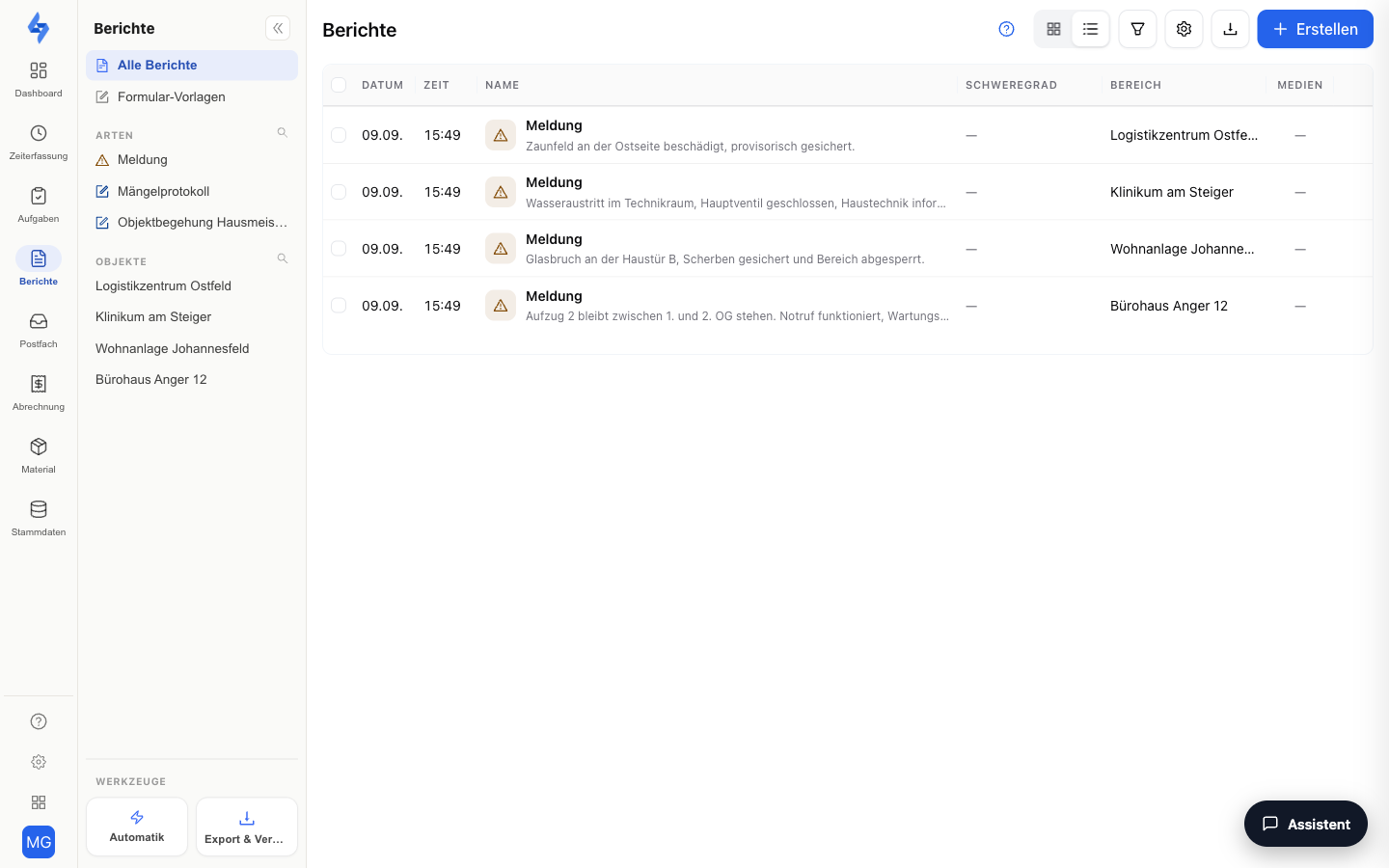
What the guard book contains
| Content | Source | Where to view |
|---|---|---|
| Patrol logs | Completed (and missed) patrols with all checkpoint scans, timestamps, and recorded events | Tasks & Patrols — patrol rows open the log |
| Incident reports | Incidents with photos, category, and severity, captured directly from the app | Reports |
| Forms | Shift reports, handover protocols, and other submitted forms | Reports |
| Event journal | All events and scans in chronological order | History |
Which PDFs contain photos
| Report | Photos | Signatures |
|---|---|---|
| Patrol log | photos of the incident reports from the patrol, embedded | – |
| Form PDF (shift report, handover protocol, security templates) | yes | yes |
| Incident list | photo column | – |
| Protocol (combined report) | depending on the selected content | depending on the selected content |
| Target per day, time tracking, attendance | none | – |
Reading via interfaces
The electronic guard book can also be read outside the portal: via the REST API (GET /v1/patrols, control point coverage, incident reports; from Standard) and via the AI connection, with which Claude or ChatGPT answer questions like "Which control points were missed last night?" directly from LiteLog. The overview for security services is on Guard tour system.
Filtering & analysis
All guard book views can be narrowed down precisely:
- Period — e.g. a billing month or a single night
- Property — only the entries of one guarded site
- Type — incidents, forms, or patrol logs; in History additionally by event type chips
Questions like "What happened at site X last week?" are answered in seconds — instead of leafing through paper binders.
Automatic PDF dispatch
On request, the guard book turns into reports automatically:
- One-off exports — Under Export & Dispatch you generate PDF or CSV reports for any period and download them.
- Recurring dispatch — Schedule an automatic e-mail dispatch, e.g. weekly to the client. Per-property dispatch rules are managed under Property — Dispatch.
- Customer access — Alternatively, give your client their own login to view the reports of their properties themselves.
Your corporate design
Dispatched reports carry your company's look: under Settings → Branding you store your logo and document templates — the guard book's PDF reports then appear in your corporate design, not in the LiteLog look.
Audit-proof documentation
The documentation follows the ALCOA+ data integrity principles — see Data Integrity & ALCOA+ for details.
The electronic guard book is audit-proof with a complete, gapless change history:
- Submitted reports cannot be changed afterwards — corrections are documented via a new entry; the original is preserved.
- Every entry carries a timestamp and user attribution — who, when, at which property.
- Patrol scans are logged automatically — the evidence is created while working, not by writing it up later.
This makes the entries usable as proof towards clients and in audits.
Good to know
:::tip Note
- A step-by-step guide on building your own guard book form and coupling it to the shift is available under Setting up the electronic guard book.
- The guard book also works offline: entries are captured without an internet connection and synchronized automatically — see Offline mode.
- For payroll, additionally export working times as CSV under Export & Dispatch. :::
Permissions
:::info Permission For patrol logs and the history you need View round evaluation; for incidents and forms, View incidents and View form responses respectively. Exports are created by anyone with Export round evaluation. Contact your administrator if you do not have access. :::