Tasks — List
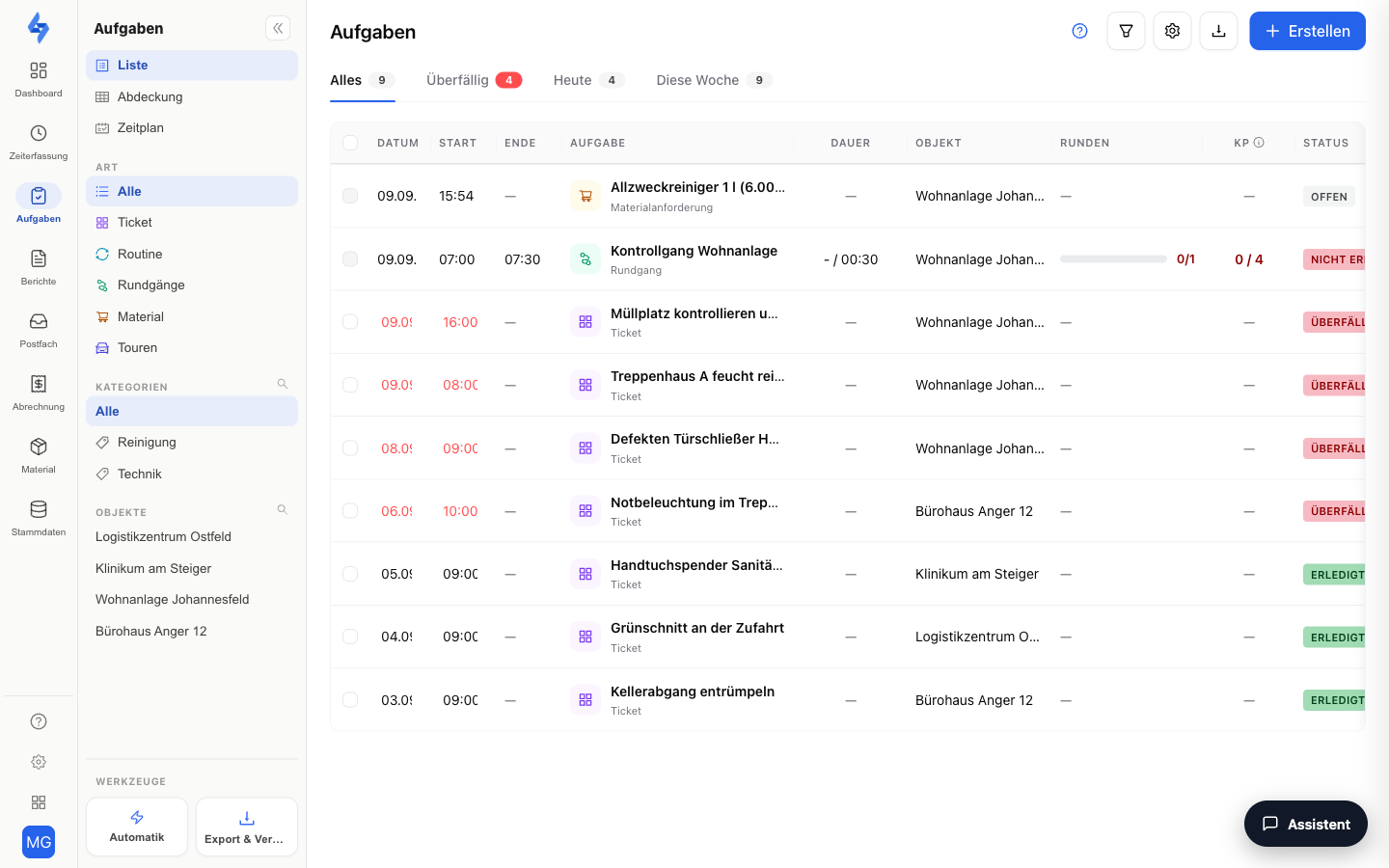
The list is the List view of the Schedule (/calendar?mode=list) and the working view of the "Tasks & Routes" workspace: a mixed table of tasks and round logs. You edit tasks directly in the row, while round rows open the corresponding log. The Day · Week · List switch in the header changes to the Schedule's day or week view; the former address /tasks/list remains available.
Features Overview
Columns
| Column | Content |
|---|---|
| Date / Start | Due date of the task, or date and start time of the round |
| Task | The title of the task or the name of the round |
| Duration, Property, Rounds, CP | Round details: duration, property, number of runs and checkpoints (scanned/expected) |
| Status | The current status — editable directly in the row for tasks. If an employee has reported the task as not feasible, the amber addition Not feasible appears next to it; the tooltip shows the reason |
| Assignee | The assigned person — editable directly in the row |
Use the columns button to reveal additional columns: End date, End (for routes and tours the end of the run, for series the plan's end time, for one-off tasks their end), Priority, Categories, Done (30d) (fulfilment rate of recurring tasks; occurrences reported as not feasible do not count as done and are not included in the rate — the tooltip lists them separately, e.g. "2 not feasible"), and Created by (tickets from customers carry a customer indicator there). These are hidden by default.
Inline Editing
Change title, date, status, and assignee — and, when shown, priority and categories — directly in the table without opening the task: click into the cell and select the new value. The change is applied immediately.
Multi-Select & Bulk Actions
Select multiple tasks using the checkboxes — an action bar appears above the column header with three zones: on the left the counter followed directly by the buttons Assign, Due, Status and Priority, then Clear selection and Select all N (selects every task matching the active filter across all pages, at most 200), on the right Complete and, under ⋯, Archive (in the archive view Restore). Tasks are never deleted: archiving removes the task from lists, the app and rules while proofs and history are kept, and the task can be restored at any time. The link Show archived above the list switches to the archive view (URL archived=1).
Assign opens a dialog that walks you through the decision from top to bottom: Currently assigned shows who is on the selected tasks today and on how many. Under New assignee you pick one or more people from the list (search above it) or, at the bottom, Nobody to remove the assignment. Under Current assignees you decide whether the new people are added and the current ones stay, or whether you replace them; when replacing, the dialog names who is removed. If selected tasks have other assignees, Add is preselected. A sentence above the button sums up the result, and the button shows the number of tasks. Due opens a small panel with date and time. Status and Priority apply immediately. After each of these actions a notice with Undo appears that restores the previous state of all affected tasks for eight seconds. Every bulk change is recorded in the task's history like a single edit.
Keyboard Control
The list can be operated entirely by keyboard: use J/K to jump between rows, X to select, and further shortcuts to change status, priority, or assignee; the space bar opens the focused task. Press ? to display the overview of all keyboard shortcuts.
Manual Sorting
Drag tasks by the handle on the left of the row to the desired position. This only works while the list shows tasks only: type Tasks in the filter row, or Ticket or Routine under Type in the sidebar. The order applies within one day: you can only move a task among tasks of the same day; dropped on another day, it snaps back. The day is the due date, or without a due date the day the task was created. If a recurring task falls on that day, the list asks when you drop: Forever applies every day, Only for today only for the day of the moved tasks. Without a recurring task, the list saves the order permanently right away.
Under All, the list stays sorted by time; patrols and tasks appear at their time. While a search or a column sort is active, dragging is not available.
Round Logs
Round rows show the completed (or missed) round with its status. Clicking opens the log as a sidebar with the details of the run.
Not Feasible
Besides Done and Open or Overdue, a due task has a third outcome: Not feasible. An employee reports it from the LiteLog app with a reason — for example because access was denied or material was missing. Such tasks carry the amber addition Not feasible in the list; the tooltip shows the reason. The Not feasible tab above the table lists them with a counter; the sub-filter Unreviewed shows only reports nobody has acknowledged yet. A reported task counts neither as done nor as overdue; its phase (Open, In progress, …) stays unchanged. To review, dismiss, or report from the portal, see Detail View.
- Grouping by day: In the gear menu at the top right, under View, Group by day switches on day headings with weekday, date and count. The default is off; the choice is saved on your account. Headings appear only on the timeline, not when sorting by title or property and not in drag mode.
The Sidebar on the Left
The left sidebar carries the main filters of this page: the switcher between List, Coverage and Schedule, the Type section (All · Ticket · Routine · Routes) and the quick filters Route, Categories and Properties. One click filters right away, a second click removes the filter again; the magnifier searches long lists. Properties sharing a name show the street as a second line in the Properties quick filter (falling back to city or property ID "#ID"). The full description is on Tasks & Routes.
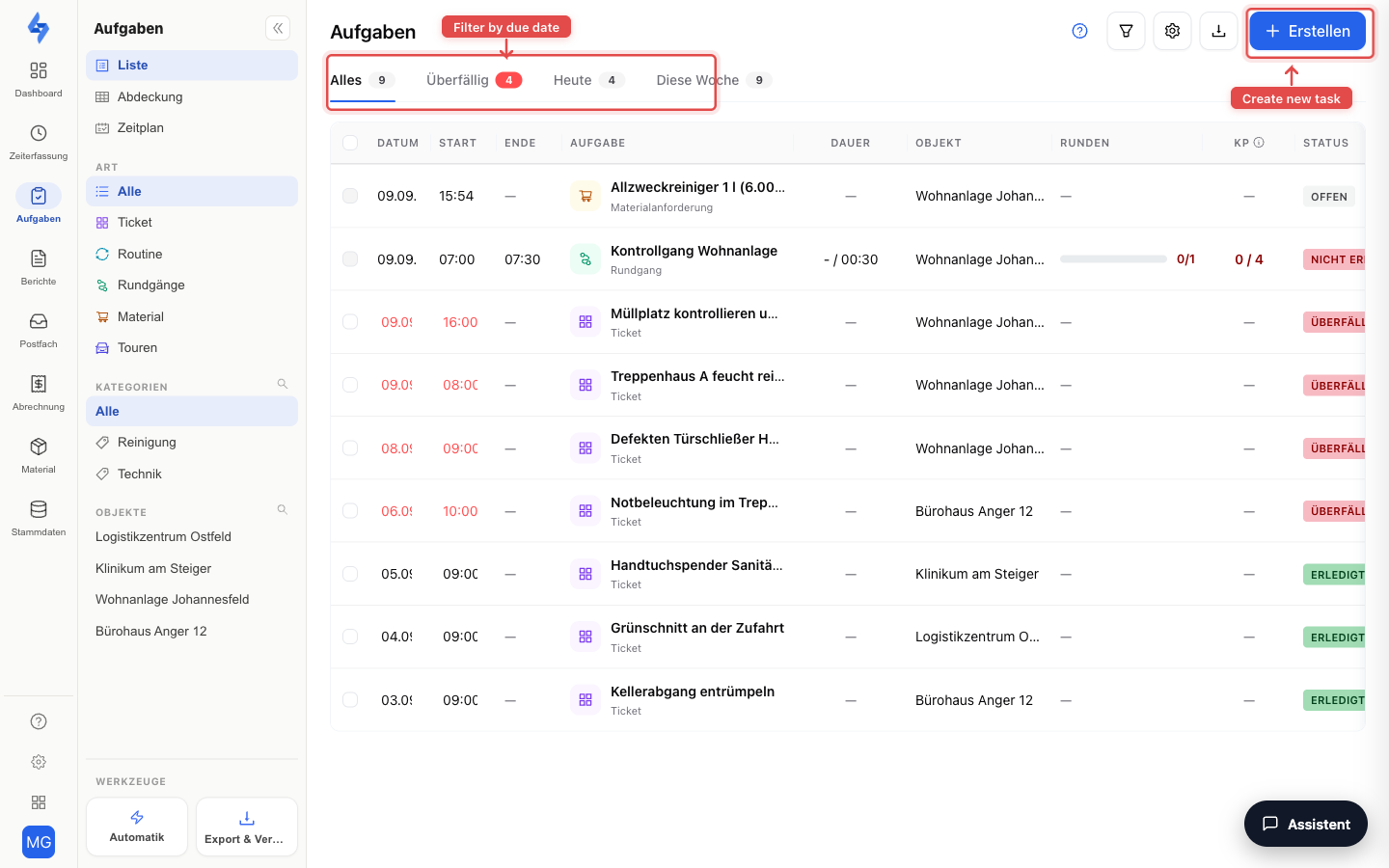
More Filters in the Header
The time filter tabs (All / Overdue / Today / This Week) and the Not feasible tab with its counter sit above the table. The filter button additionally shows the filter row — there you narrow down by type (All / Tasks / Routes / Completions), priority, category, and date range. Without a selected range, the list shows the last 7 days — the "All" tab does not lift this window either, it only removes the Overdue/Today/This Week restriction. The due date is decisive; for tasks without a due date, the creation date. A recurring task appears under All as one row with its next occurrence; every completed earlier day within the date range additionally appears as its own Completed row with time, person and form. All days of a series, including missed and planned ones, are shown by the type Completions in the filter row. A recurring task with leeway (± days) or a monthly period appears under Today and This Week on every day of its period until it is completed or reported as not feasible. Open tasks without a due date that are older than 7 days therefore only appear once you extend the date range further back in the filter row; the "Overdue" tab only shows tasks with a due date. For routes and tours, "Overdue" counts missed runs only from the calendar day after the run — and only within the last 7 days or the selected date range. A run whose time window expired today already shows Missed in its row but only counts in the tab from tomorrow. Free rounds as well as completed or aborted runs never count; a missed run cannot be caught up. Tasks become overdue from the day after their due date — with a due time, from that time; with an end, only from the end (in between they are "due by") — calculated in the property's time zone; they count regardless of the date range until they are completed. Today's occurrence of a series turns red in its row from the plan's end time, without an end time from its start time; the "Overdue" tab counts it only from the next day. Occurrences reported as not feasible do not count as overdue as long as the report stands.
The search box in the header searches task titles and descriptions, the property name, and the names of patrols, material items and tours. Several words narrow the result: every word must occur, in any order — "four test" finds "Round four test", "Milchenbach lift" finds the task "Lift emergency call" at the Milchenbach property. Umlauts are matched loosely: "mueller" and "muller" both find "Müller". The selected date range still applies while you search, and the tab counters count only the matches. The cross in the search box clears the search; Reset filters in the filter row leaves it in place.
Use the export button to download the list as PDF or CSV, or set up a recurring delivery via "Schedule export"; the active filters are applied (requires the Export round evaluation permission).
Good to Know
:::tip Note
- Every change to a task is automatically recorded in the task's change history.
- Round rows are evidence records and therefore not editable inline — they are only displayed and opened.
- "Missed" in the row and "Overdue" in the tab deliberately follow two rules: the row flips to Missed as soon as the run's time window has expired — even on the same day; without an end time, after the calendar day of the start in the property's time zone (a night shift 22:00–06:00 is not yet missed at 05:00). The "Overdue" tab counts the same run only from the next calendar day. The same row rule applies in the Schedule and in the app. :::
Permissions
:::info Permission To use this page, you need the View tasks or View round evaluation permission. Contact your administrator if you do not have access. :::
| Action | Permission |
|---|---|
| See tasks | View tasks |
| See round logs | View round evaluation |
| Edit inline (status, date, etc.) | Edit tasks |
| Create a task | Create tasks |
| Archive / restore tasks (multi-select, drawer) | Archive tasks |
| Export the list | Export round evaluation |