Customer Conversations
Under Customer Conversations, you read and handle the conversations your customers have with your account — calls and chats via phone, WhatsApp, and Telegram, answered by the AI assistant Hannah (Empfango). The portal embeds the Empfango inbox directly into the inbox area; rail and panel stay in place, so the team chat and notifications remain reachable.
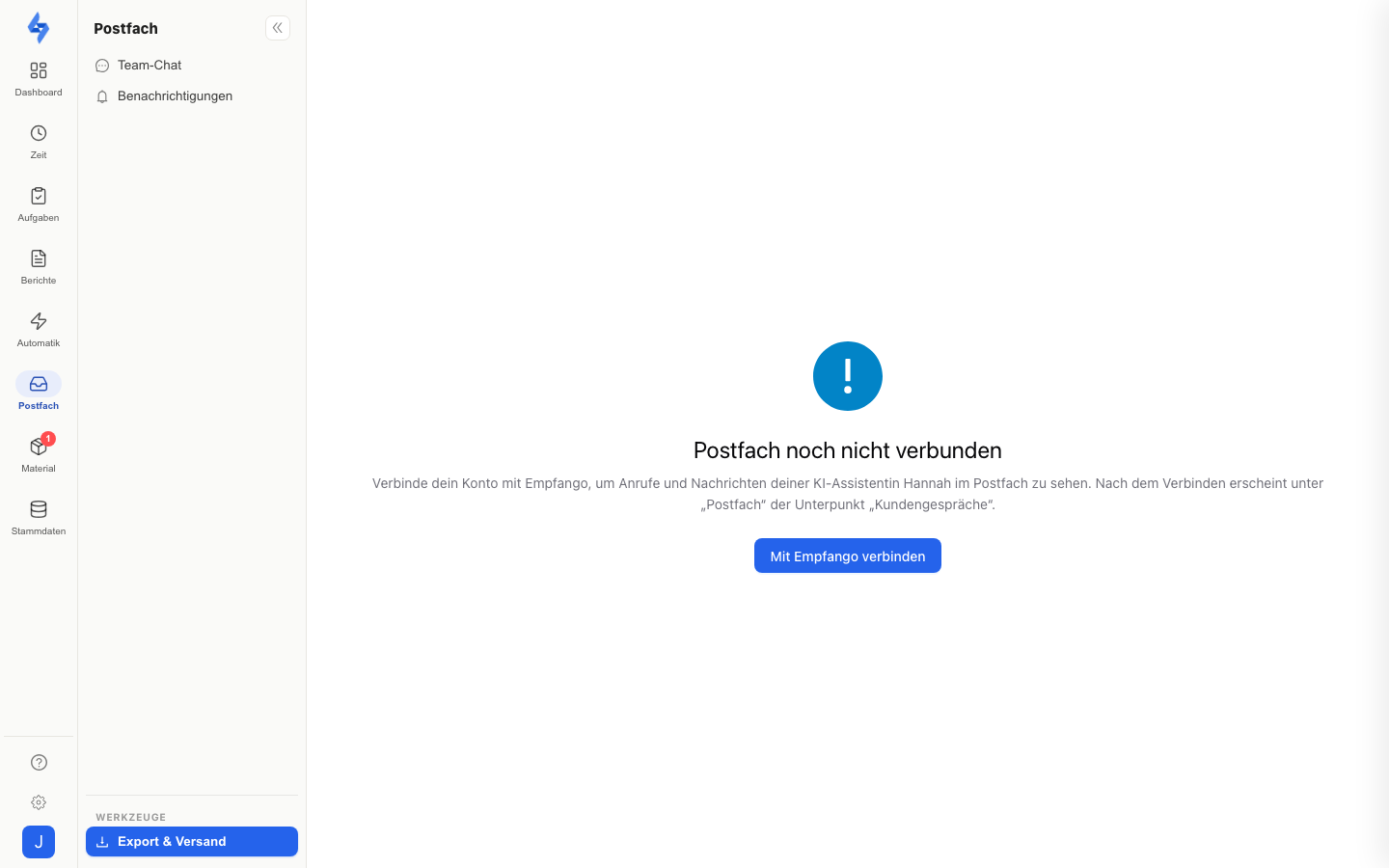
Navigation: Inbox rail item ("Postfach") → "Customer conversations"
Features
- Embedded inbox — the inbox interface (labels, mailboxes, handoff to a human) comes from Empfango and is displayed inside the portal; LiteLog signs you in automatically.
- Not connected yet? — if your account is not linked with Empfango yet, the page shows "Inbox not connected yet" and takes you to Settings → Features via Connect with Empfango.
- Loading errors — if loading fails, the page offers Try again.
Good to Know
:::tip Note
- The menu entry only appears when the Empfango connection is enabled for your account — the inbox area with team chat and notifications exists without it, too.
- How to set up Hannah and control what she may do is described on the Hannah connection page.
- The Team Chat for messages to your employees is independent of this. :::
Permissions
:::info Permission To open the customer conversations, you need the View inbox permission; in addition, the Empfango connection must be enabled for your account. Contact your administrator if you don't have access. :::