Shift defaults on the property
Instead of configuring check-in windows, minimum duration and similar settings on every single shift, you define the values centrally. Every shift inherits these defaults automatically — and only where a shift really needs to differ do you enter its own values.
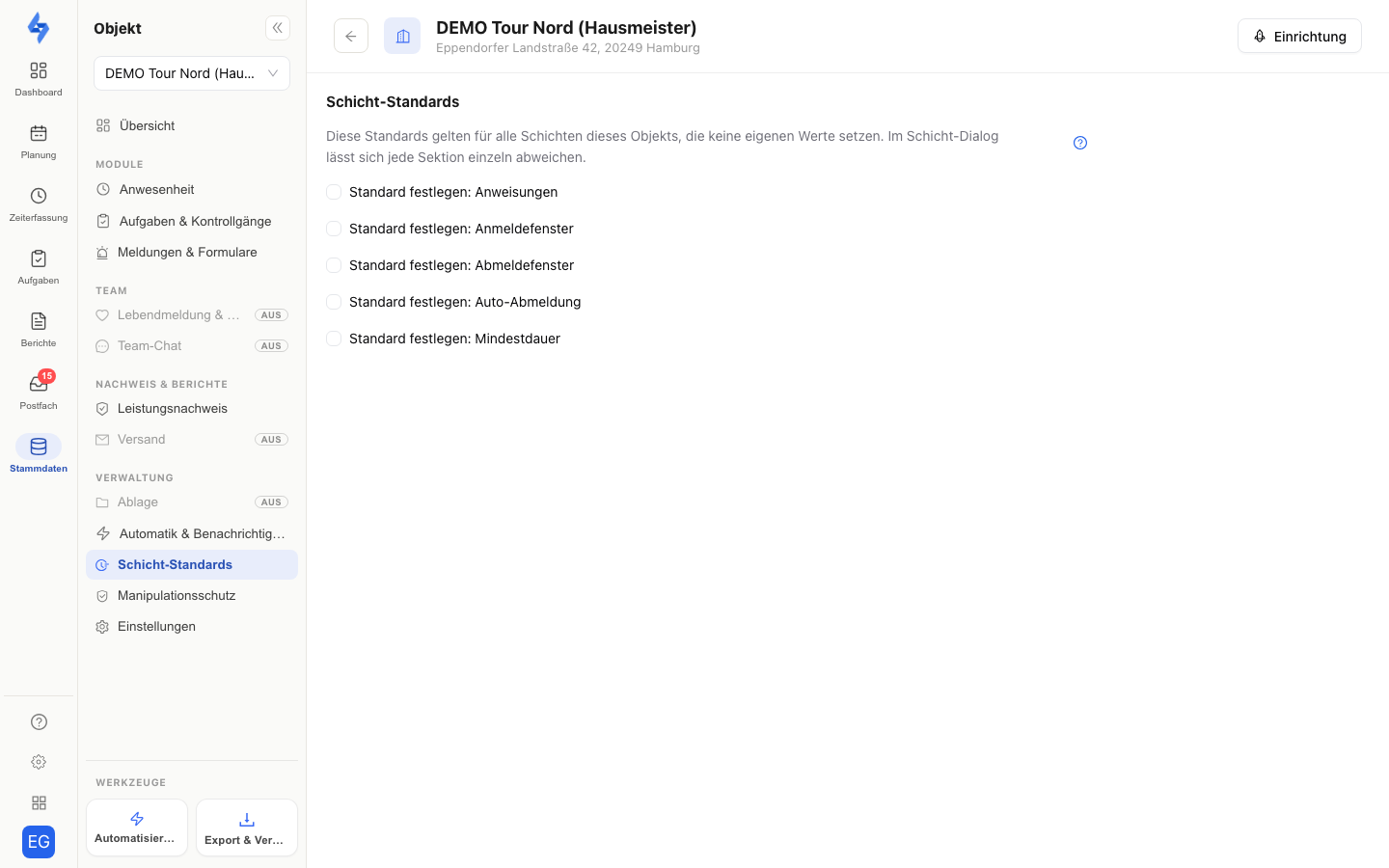
:::info The principle: inherit instead of copy For each setting, a shift knows three states:
- Default (inherit) — the shift takes the property's value; if the property maintains no own value, the default for all properties from the time rules applies. If you change the default later, all inheriting shifts follow automatically.
- Own value — the shift has its own value that beats the default.
- Off — the feature is deliberately disabled for this shift, even if the property or the main settings have a default. :::
The inheritance chain
A setting is always resolved in the same order:
Shift → property → main settings → no rule
The shift itself wins (own values or "Off"), then the property's default counts, then the default for all properties from Settings → Time rules. If none of the three levels applies, the shift simply has no rule for this setting — and no violation check takes place.
Which settings are inherited
| Section | Contains |
|---|---|
| Check-in window | Time window before/after shift start, requirement mode, number of required check-ins |
| Check-out window | Time window before/after shift end, requirement mode, "copy from check-in" |
| Auto check-out | Automatic check-out on/off and offset after shift end |
| Minimum duration | One value with a type (per visit or total per shift) and a tolerance after shift end |
| Instructions | Text shown to workers in the app |
In the time rules these rules are called stamp windows (check-in and check-out window), auto-end (auto check-out) and minimum duration; each rule has its default for all properties and the table per property there.
Times, recurrence, staffing and the customer order are not inherited — those stay with the individual shift. The reaction to violations (who gets alerted and how) is configured separately via the reaction defaults.
Setting a default on the property
- Open the property, switch to the "Time tracking" tab and expand the "Shift defaults" section.
- Each rule is one row: it shows the inherited value from the main settings (… from the main settings) or no default, with the mode selector Default (inherited) · Own value · Off on the right — the same words as in the time rules; Off exists only where the feature can be disabled (auto check-out, minimum duration). Edit default next to the source opens the rule page in the time rules with the default.
- Choose Own value — the input fields expand, prefilled with the inherited value, and must be filled in. The fields are the same as in the shift dialog. The same selector in the card header switches back with Default (inherited).
- Save. A notice shows how many existing series without own values will adopt the default.
As long as a section is set to "Default (inherited)", the property simply passes the central value through — if the main settings maintain none, inheriting shifts end up with "no rule".
Editing the section requires the Edit properties permission.
How the shift dialog behaves
In "Create new shift" (and when editing), Advanced settings holds the "Rules" card. Normally the shift inherits everything — the card then summarises what applies: check-in window, check-out window, minimum duration and auto check-out as one sentence each, the source below (default from property ‘Flat 02’ or from the main settings) and Reaction on violation including the people who would be notified. If no level provides a default, it reads no defaults — nothing is checked.
- Deviate opens one row per rule. Each row shows the inherited value and the mode selector Default (inherited) · Own value · Off on the right — Own value expands the familiar input fields, prefilled with the default as a starting point; the values are then required.
- Off (minimum duration and auto check-out) deliberately disables the check for this shift, even if the property or the main settings provide a default; the row then reads off.
- Default (inherited) in the header of the open card discards the own values — the shift inherits again.
- Edit default next to the source leads to the level where the default is maintained — the property's time tracking or the rule page in the time rules.
The blue dot on Advanced settings lights up only when the shift really deviates from the defaults or carries an extra (instructions, proof of life, material, own reaction).
Instructions, material and proof of life remain "+" chips under More options: clicking a chip opens the fields as a deliberate entry for this shift; if it stays closed, the inherited default or no default applies.
Effect on existing shifts
- Series with own values remain unchanged — a new default on the property or in the main settings never overrides a deliberate exception.
- Series without own values adopt the default for all future occurrences. Occurrences already generated in the past are not re-planned retroactively.
- The automatic checks (minimum-duration monitoring, auto check-out) also use the inherited values immediately.
:::tip Recommendation Define the default for all properties in the time rules first, add own values only on properties that really differ — and then deliberately create "lean" shifts: just customer order, name, times and staffing. Everything else inherits. Your shifts stay consistent, and changes to the rules happen in a single place. :::
Related pages
- Time rules — the default for all properties behind the chain and the table per property
- Reaction defaults — what happens when windows or minimum duration are violated
- Planning (duty roster) — creating and moving shifts
- Time tracking on the property — further property settings