Reaction defaults
Reaction defaults answer the question: "What should happen when something goes wrong?" — once, centrally, instead of on every single shift. You define one default rule per event type for the whole tenant, and add exceptions only where a property needs to react differently.
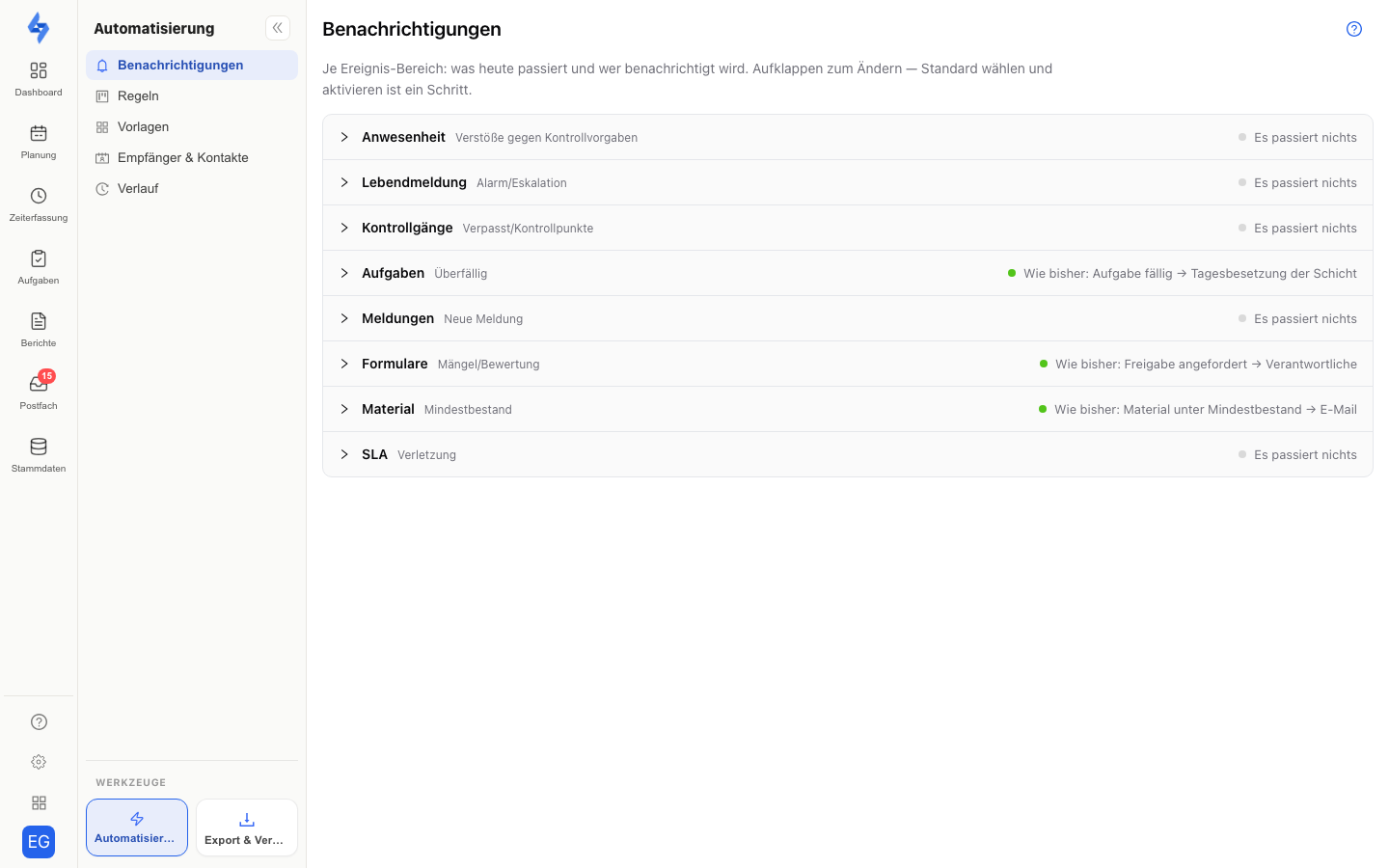
:::warning Why this matters Checks like the minimum duration or the check-in window only detect violations — nothing is reported unless a reaction rule is linked. With a reaction default, every shift is covered automatically, including newly created ones. :::
The two event types (slots)
| Slot | Covers |
|---|---|
| Attendance violation | Missed or late check-in/check-out (stamp windows), violated minimum duration |
| Check-alive | Missing check-alive signal during a running shift |
| Tours | Missed run or missed stop of a tour |
The linked rule determines the reaction: create an incident, notify responsible staff, run an escalation chain, send an SMS alert — anything an automation rule can do.
Setting the default
- Open Settings → Notifications → Overview (from work areas such as Time or Tasks also via the bell in the Tools group at the bottom of the sidebar).
- Each row is one event area. In the Rule column, pick the rule that will apply to all properties. A disabled rule is enabled when you set it.
- The Who column (recipient type as an icon, the actual recipients in the tooltip) and the How column (channel icons) immediately show whom the chosen rule reaches; the confirmation states how many properties the rule now covers and offers Undo.
From now on the rule fires for every shift of the tenant whose check trips — with no per-shift configuration required. If a row has no rule yet, nobody is notified — the column then reads nobody.
Exception for a property
Some properties need a different reaction — say, a stricter escalation for a critical building:
- Open the property and its Automation tab.
- In the Reaction defaults section, pick the deviating rule on the slot.
The exception applies to this property only; all others keep following the tenant default. In the overview, the Properties column shows how many properties deviate; clicking it opens the list, where an exception can also be removed again.
How it looks in the shift dialog
In "Create new shift" (and when editing), the reaction section shows the inherited default as a hint, e.g.:
Default: rule "Escalate to site manager" — from tenant
or "— from property" if a property exception applies. A shift-level rule is still possible — it is the last stage of the chain and beats both property and tenant:
Shift rule → property exception → tenant default
How this differs from the time rules
- Time rules define the target values (how long is the stamp window, which minimum duration applies) — as a default for all properties and per property; shifts deviate via the shift defaults on the property.
- Reaction defaults define what happens on a violation.
Both systems are built symmetrically: values and reactions each follow the chain shift → property → tenant. The value chain determines what is checked; the reaction chain what happens on a violation. Together they yield shifts that usually need no individual configuration at all.
Related pages
- Create a rule — structure of an automation rule
- Time rules — target values as default for all properties and per property
- Shift defaults on the property — inherited target values in the shift dialog
- Check-alive — dead-man monitoring of running shifts
- SMS alert — alerting via SMS