Team Chat
The team chat is the portal's employee messenger: you write to your employees directly from the portal, and the message arrives instantly in the LiteLog app. The page shows your conversation list on the left and the open thread on the right.
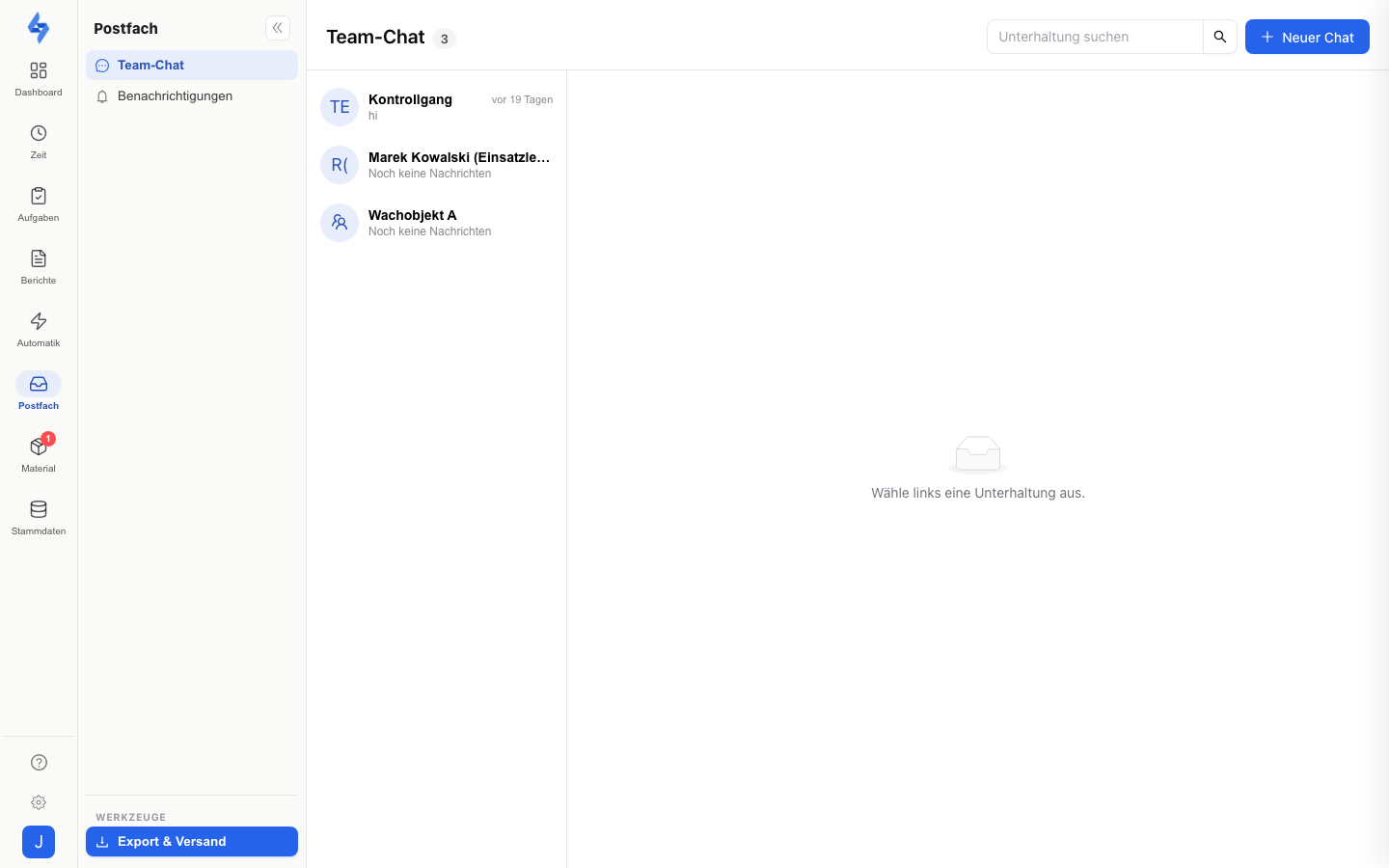
Navigation: Inbox rail item ("Postfach") → "Team chat"
Features
- "New chat" — starts a new conversation. Three chat types are available:
- Single — a direct message to one employee.
- Group — several recipients, optionally with a title (e.g. "Night shift"). Requires the Start group chat permission.
- Entire property — opens a property's single group room. Only properties with the "Team chat" feature enabled are offered; LiteLog maintains the participants automatically from the property assignment (see "Team chat per property" below).
- Message options — when writing, you can set High priority and Require acknowledgement: recipients then confirm the message via an Acknowledge button, and you see "Acknowledged by N". These options exist only in the portal — the app always sends plain text messages.
- Read receipts — your messages show "Read by N", and "… is typing" appears while someone types.
- Mute — per conversation via the actions menu in the thread header; muted conversations are marked in the list.
- Search — the search field filters the list by conversation title and participant names.
Team chat per property
A property's group room only exists when the Team chat feature is enabled for that property. You find the switch under Features → Per property on the "Team chat" card (property picker), in the property setup (tile "Team chat for the property") and on the menu entry in the property file; there is no separate property tab for it. When the feature is active, the property overview shows the "Open team chat in the inbox" card with the jump into the room.
- The team chat is off by default and is enabled deliberately per property. When switching it off, the portal asks for confirmation; the property entry then disappears, while an existing room and its history remain available to the previous participants in the inbox.
- Participants are the active employees assigned to the property; new assignments are added as participants automatically when the room is opened. Anyone who loses the assignment stays a participant so the history is preserved — there is no separate member management per room.
- Direct messages between individual people run independently; the switch only concerns the property group room. It can be operated by accounts with Edit properties.
Good to Know
:::tip Note
- In the app, the team chat has its own Chat tab in the bottom bar (also behind the Use chat permission) with an unread counter.
- Employees connected via WhatsApp or Telegram instead of the app receive messages there as plain text — they cannot acknowledge outside the app. The portal points this out while you write.
- The chat's unread counter feeds the badge on the Postfach rail item; an open conversation is marked as read automatically.
- Conversations with the AI assistant Hannah do not appear here — that is what the support widget and the Customer Conversations are for. :::
Permissions
:::info Permission To open the team chat, you need Use chat. Group chats are started by accounts with Start group chat. Contact your administrator if you don't have access. :::
Related Pages
- Features — enable/disable the team chat per property
- Property Details
- Notifications
- Customer Conversations